
Why Your Last Cleanup Didn’t Hold
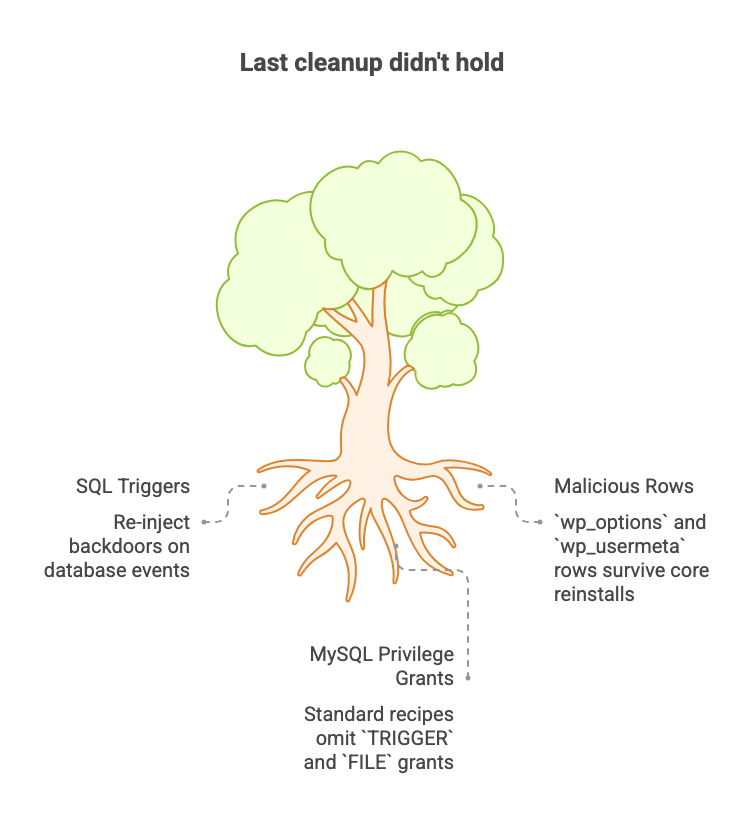
You deleted the rogue admin account, reinstalled WordPress core, ran a reputable security scanner, and got a clean result — then the symptoms came back within weeks. The checklist you followed wasn’t wrong; it was incomplete. Every standard cleanup step targets the filesystem, while the three persistence mechanisms that actually survive a real compromise live entirely inside MySQL: SQL triggers that re-inject backdoors on database events, malicious rows in wp_options and wp_usermeta that core reinstalls never touch, and MySQL privilege grants like TRIGGER and FILE that standard least-privilege recipes routinely omit. This article gives you the diagnostic SQL to audit each one.
SQL Triggers: The Backdoor That Survives Every File Cleanup
A SQL trigger is a stored procedure that the database engine executes automatically when a specific event occurs — an INSERT, UPDATE, or DELETE on a named table. It has no corresponding PHP file, no entry in your theme directory, no presence anywhere on the filesystem. It lives entirely inside MySQL, in the same metadata layer that holds your table schemas and user grants. That architectural fact is precisely what makes it effective as a persistence mechanism: every cleanup workflow that operates on files leaves it untouched.
Sucuri’s malware research team documented a concrete case that illustrates exactly how this plays out. The trigger fired on every INSERT into the comments table — meaning every comment submission, approved or pending, triggered its payload. That payload inserted a user named wpadmin into wp_users with a forged registration date of 2014, making the account look like a long-standing legitimate user rather than a freshly injected one. You delete the rogue admin, reinstall core, run your file scanner, get a clean result — and the next comment submission recreates the account. The trigger was never touched because nothing in that sequence interacts with MySQL’s trigger definitions.
Independent researcher Luke Leal documented the same pattern from a different angle during a 2020 analysis: the trigger he examined read wp-config.php directly to extract the database prefix at runtime. That detail closes the loop on the prefix-change question. Even if you rename your tables, a trigger that reads the current prefix from the config file adapts automatically. Tarlogic’s red-team research adds the operational context: cleanup protocols are broadly not exhaustive enough, and database-layer persistence is the surface most consistently overlooked. Three independent research sources have now corroborated the trigger-backdoor pattern — it’s an active technique, not a curiosity.
File-layer scanners operate against the filesystem and known file-based signatures. Trigger definitions live in MySQL’s information_schema, which is not a file and not within those tools’ scanning scope. This isn’t a gap in their quality; it’s a gap in the surface they were designed to cover.
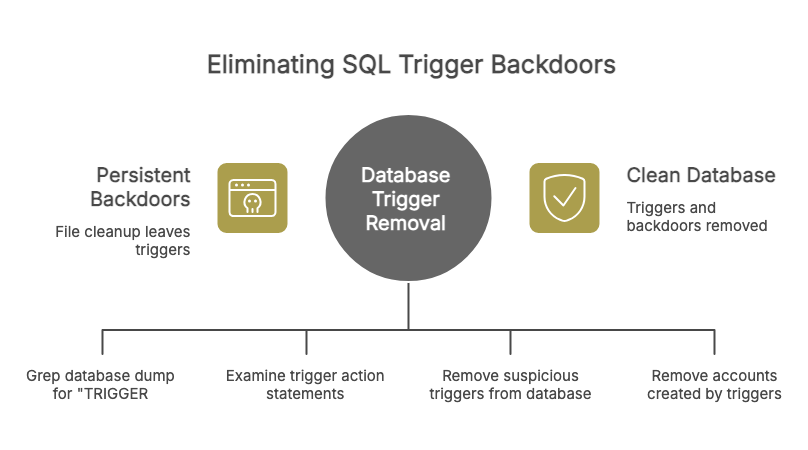
ManagedServer.eu’s analysis of trigger-based WordPress infections makes a useful observation for detection: SQL trigger usage is extremely rare in legitimate WordPress installations. No core WordPress functionality, no mainstream plugin, and no major page builder defines its own MySQL triggers. That rarity makes the following zero-tool first-pass check surprisingly reliable — export your database as a .sql dump and grep for the string TRIGGER:
mysqldump -u your_db_user -p your_database_name > dump.sql
grep -i "TRIGGER" dump.sql
Any hit warrants investigation. For a more granular view, run these two queries directly in phpMyAdmin or via WP-CLI’s wp db query — both are read-only and require no backup before execution:
SHOW TRIGGERS;SELECT TRIGGER_NAME, EVENT_MANIPULATION, EVENT_OBJECT_TABLE, ACTION_STATEMENT
FROM information_schema.TRIGGERS
WHERE TRIGGER_SCHEMA = DATABASE();The second query gives you the full body of each trigger’s ACTION_STATEMENT, which is where you’ll see injected SQL — user insertions, capability grants, or obfuscated payloads. If you find a trigger that doesn’t belong there, the sequence is: copy the full ACTION_STATEMENT for your records, take a complete database backup, then drop the trigger by name.
-- Back up the database before running this.
DROP TRIGGER trigger_name;After dropping the trigger, check wp_users for any accounts it may have created — look specifically for users with implausibly old registration dates or generic usernames like wpadmin. Attackers rarely plant a single trigger; run SHOW TRIGGERS again after removal to confirm nothing else is waiting.
The Rows That Survived: wp_options, wp_usermeta, and the Grants You Didn’t Revoke
SQL triggers get the most dramatic attention because of how visibly they reinfect a site, but the row-level persistence problem is quieter and arguably more common. A core file reinstall replaces PHP only — the database is untouched. If an attacker stored a backdoor in an option value or injected an encoded payload into a user’s meta row, it came through your cleanup intact.
Sucuri’s 2024 post-mortem case showed malware that persisted through WPCode PHP snippet entries stored in the database alongside infected plugin files. The file-layer infection got cleaned; the database rows hosting the snippets did not. A WordPress.org forum thread reported the same vector — malware injecting itself into wpcode_snippets and siteurl option values in ways that the security plugins in use reportedly did not flag. Treat that as illustrative rather than a benchmark, but the underlying pattern is corroborated.
Named targets make this searchable rather than theoretical. Patchstack’s research on the backdoored Smart Slider 3 Pro infection (reported by The Hacker News, April 2026) identified specific wp_options keys used as malware staging points that require explicit deletion: _wpc_ak, _wpc_uid, _wpc_uinfo, _perf_toolkit_source, and wp_page_for_privacy_policy_cache. You can check for those keys directly in phpMyAdmin or via wp db query — this is a safe read-only SELECT:
SELECT option_name, LEFT(option_value, 200) AS preview
FROM wp_options
WHERE option_name IN (
'_wpc_ak',
'_wpc_uid',
'_wpc_uinfo',
'_perf_toolkit_source',
'wp_page_for_privacy_policy_cache'
);If any of those rows return results, you’re looking at confirmed malware staging data that a file scan would never surface. The LEFT(option_value, 200) truncation is intentional — it lets you confirm presence without accidentally executing or rendering a large encoded payload in a browser context.
wp_usermeta is the other table worth auditing carefully. It stores serialized PHP arrays — capability sets, user preferences, plugin-specific settings — and none of that data renders as code anywhere in the WordPress admin UI. An injected payload sitting inside a serialized wp_capabilities value looks like benign user preference data to a visual review. Post-mortem cases documented by Sucuri and corroborated in WordPress.org forum reports show malware using wp_usermeta rows to store hidden admin capabilities and encoded payloads that file-layer cleanup leaves untouched. Start here:
SELECT user_id, meta_key, LEFT(meta_value, 200) AS preview
FROM wp_usermeta
WHERE meta_key LIKE '%capabilities%';You’re looking for capability rows attached to user IDs you don’t recognize, or rows where the serialized value contains role assignments that don’t match what the admin UI shows for that user.
The Privilege Grants Nobody Audits
The third element shares the same invisibility problem: MySQL privilege grants.
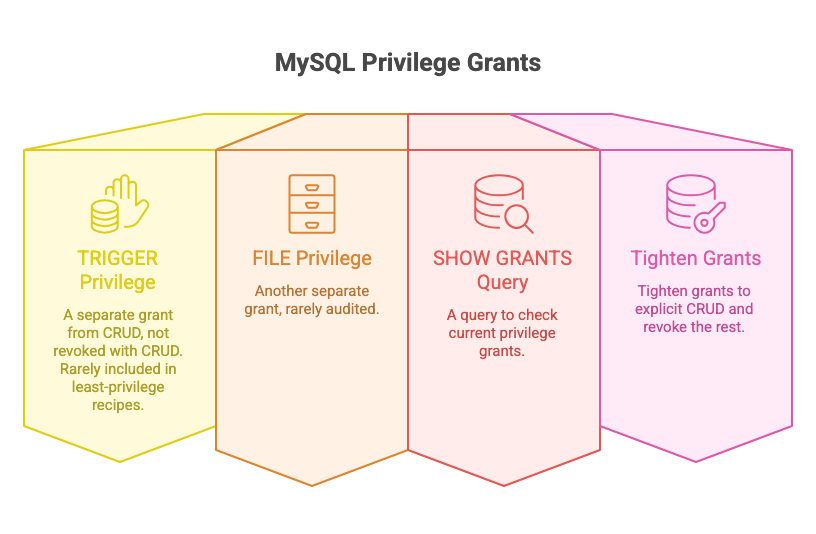
The TRIGGER privilege is a separate grant from SELECT, INSERT, UPDATE, and DELETE — it’s not bundled with CRUD and isn’t revoked when you revoke CRUD. Standard WordPress least-privilege recipes rarely include it in the revocation list, so a database user set up following typical hardening guidance may still hold it. The FILE privilege has the same profile: separate grant, separate revocation, rarely audited. One query tells you what grants are in effect right now:
SHOW GRANTS FOR 'wp_user'@'localhost';If the output includes ALL PRIVILEGES, TRIGGER, FILE, or SUPER on the WordPress database, tighten the grant to explicit CRUD and revoke the rest. You may have already done this. But if you’ve migrated hosts since then, or if your control panel’s “repair database” or “fix permissions” function has run at any point, those grants can be silently re-added. Hosting control panels don’t always document what they restore. The audit takes thirty seconds and the answer tells you whether you’re running with the grants you think you are.
Your Post-Mortem Checklist (and Where File Scanners End)
Everything above comes down to a single practical question: what do you actually run, in what order, when you’re sitting in front of a suspect site? The sequence below takes roughly ten minutes on a site you have database access to. Run it in phpMyAdmin, via WP-CLI’s wp db query, or in whatever MySQL client your host provides. Every query is read-only — nothing writes, nothing deletes.
The Diagnostic Sequence
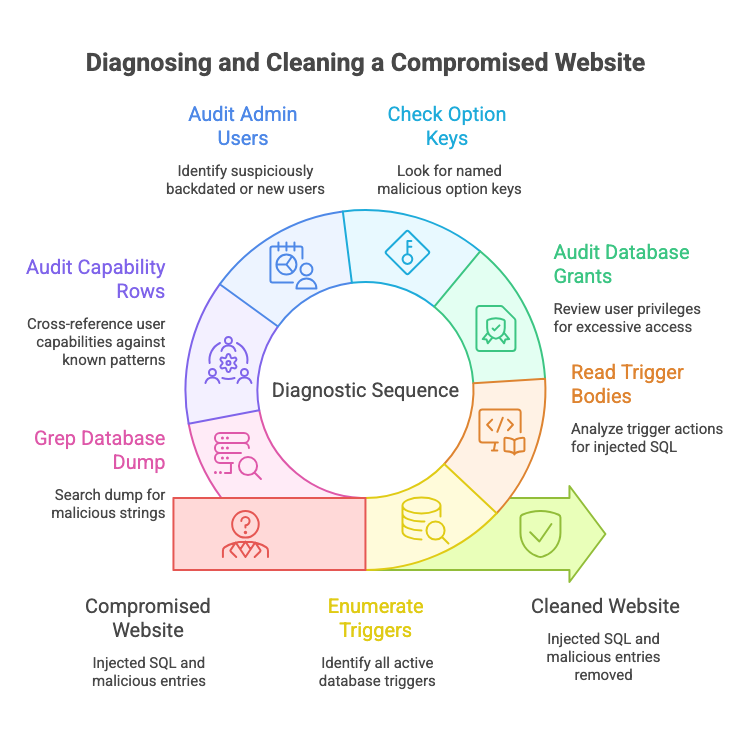
Step 1 — Enumerate all triggers. Your most important check, and the one most likely to return something you’ve never seen before on a previously “cleaned” site.
SHOW TRIGGERS;Step 2 — Read the trigger bodies. If Step 1 returns rows, this query shows you what each trigger actually does — the full ACTION_STATEMENT is where injected SQL will appear.
SELECT TRIGGER_NAME, EVENT_MANIPULATION, EVENT_OBJECT_TABLE, ACTION_STATEMENT
FROM information_schema.TRIGGERS
WHERE TRIGGER_SCHEMA = DATABASE();Step 3 — Audit your actual database grants. Replace wp_user with whatever database username your site uses. You’re looking for ALL PRIVILEGES, TRIGGER, FILE, or SUPER. Any of those warrants tightening, especially after a host migration or control-panel repair.
SHOW GRANTS FOR 'wp_user'@'localhost';Step 4 — Check for named malicious option keys. The Patchstack-documented Smart Slider 3 Pro keys, in one query.
SELECT option_name, LEFT(option_value, 200) AS preview
FROM wp_options
WHERE option_name IN (
  '_wpc_ak',
  '_wpc_uid',
  '_wpc_uinfo',
  '_perf_toolkit_source',
  'wp_page_for_privacy_policy_cache'
);Step 5 — Look for suspiciously backdated or recently registered admin users. Sucuri’s documented trigger forged a 2014 registration date to make injected accounts look long-standing. Sorting by registration date surfaces both ends of that pattern.
SELECT user_login, user_registered, user_email
FROM wp_users
ORDER BY user_registered DESC;Step 6 — Audit capability rows in wp_usermeta. Serialized capability values don’t render as code anywhere in the admin UI. This query surfaces every capability row for cross-reference against the users you confirmed in Step 5.
SELECT user_id, meta_key, LEFT(meta_value, 200) AS preview
FROM wp_usermeta
WHERE meta_key LIKE '%capabilities%';Step 7 — Grep your database dump for known malicious strings. Export a full .sql dump and search it locally. Any TRIGGER hit is worth investigating. While the dump is open, the same grep is worth running for base64_decode, eval(, and pharma or Japanese SEO keyword patterns if your symptoms included unexpected search rankings or redirects.
mysqldump -u your_db_user -p your_database_name > dump.sql
grep -iE "TRIGGER|base64_decode|eval(" dump.sql
What to Do With Findings
If Step 1 or Step 2 returns a trigger you don’t recognize: copy the ACTION_STATEMENT for your records, take a database backup, then DROP TRIGGER by name and re-run Step 1 to confirm nothing else is waiting. If Step 4 returns rows: delete those specific option keys, then check Step 5 for accounts the malware may have created at the same time. If Step 3 shows excessive grants: revoke them and reload privileges. If Step 7 returns base64 or eval hits inside option or postmeta values: those are payloads, not file infections — your file scanner will not have flagged them, and they need to be removed at the row level.
Where Wordfence, Sucuri, MalCare, and Patchstack Fit
File-layer scanners cover PHP files, theme and plugin code, and filesystem signatures — and they do that work well. None of the queries above replicate what those tools do; they address a different surface entirely. The mental model that holds up in practice is straightforward: file-layer and database-layer are two distinct scanning targets, and running one without the other leaves a documented gap. The most common post-breach pattern Sucuri has documented involves both layers simultaneously — infected files and persistent database rows operating together. Keep your existing file scanner running. These queries are what you add to it.
Seven queries is roughly ten minutes per site, and nothing here needs to run daily. Quarterly works well as a baseline cadence, or after any plugin compromise or suspicious traffic anomaly on a client site. If you’re managing enough sites that quarterly manual runs become impractical, scheduled database-layer scanning is the logical next step — Content Guard Pro covers wp_posts, wp_options, Gutenberg blocks, and serialized page-builder data on a schedule, with confidence scoring that lets you triage findings rather than process a flood of alerts. That’s one path. The other is bookmarking this checklist and running it yourself. Either way, the database layer is now part of your audit surface — which is what most cleanup workflows quietly skipped.
Run the Audit Sequence, Then Decide What’s Next
The seven-query diagnostic sequence above takes roughly ten minutes per site and requires only database access — no additional tools, no installation. Run it now on any site you’re unsure about. If you find triggers, malicious option keys, or excessive grants, the removal steps are straightforward: DROP TRIGGER by name, delete the rows, revoke the grants. Then re-run the same queries to confirm they’re gone.
If you’re managing enough sites that quarterly manual audits become impractical, or if you want continuous visibility into database-layer changes between your own spot checks, scheduled database scanning is the logical next step. Keep your file-layer scanner — Wordfence, Sucuri, MalCare, or Patchstack — running on its normal cadence. They cover the surface they’re built for. Content Guard Pro covers the complementary database layer: wp_posts, wp_options, Gutenberg blocks, and serialized data on a schedule, with confidence scoring that lets you triage rather than process noise. That’s one path forward. The other is bookmarking this checklist and running it yourself each quarter. Either way, the database layer is now auditable — and that’s the gap that made cleanup fail the first time.