

You run Wordfence. It says “No problems found.” You check Sucuri SiteCheck. Clean bill of health.
Then you Google your site and see this in the search results:
yoursite.com – Buy Cheap Viagra Online | Casino Bonus Codes | Essay Writing Services
Welcome to the world of database-level SEO spam—one of the most frustrating types of WordPress infection because traditional file-based security scanners often miss it entirely.
Why Your Security Scanner Might Not Find It
Most WordPress security plugins work by scanning files on your server. They compare your WordPress core files against known clean versions, look for malicious PHP patterns, and check your themes and plugins for suspicious code.
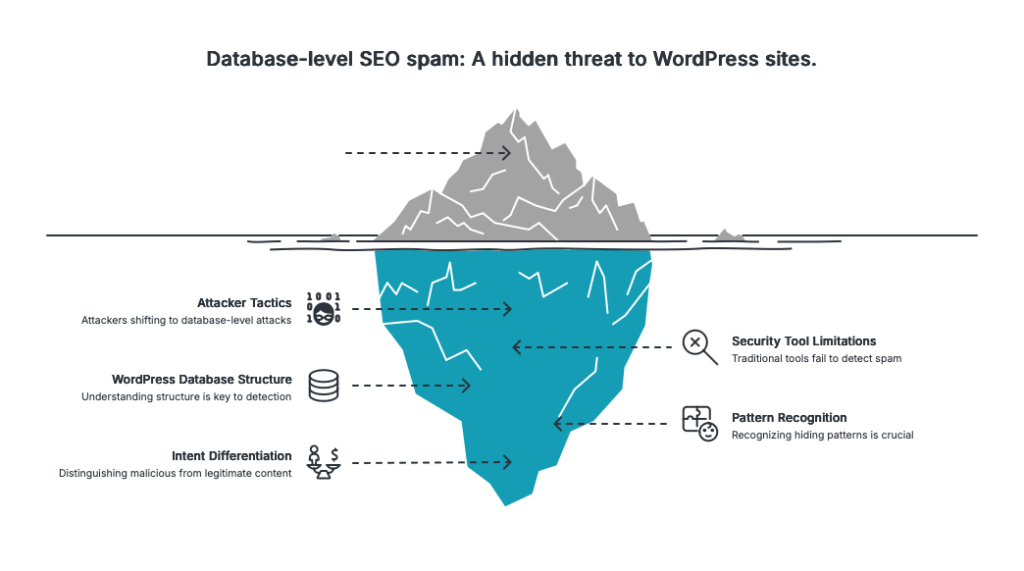 The problem? Attackers have figured out that the WordPress database is a blind spot.
When malicious content is injected directly into your wp_posts table—hidden inside your page content using CSS tricks—there’s no malicious file to find. The PHP is clean. The JavaScript files are clean. But your content is poisoned.
What Database-Level SEO Spam Looks Like
Here’s a typical example of what you might find injected into your post content:
<div style="position:absolute;left:-9999px;top:-9999px;">
  <a href="https://sketchy-pharmacy.example">buy cheap viagra</a>
  <a href="https://casino-spam.example">online casino bonus</a>
  <a href="https://essay-mill.example">buy essay papers</a>
</div>
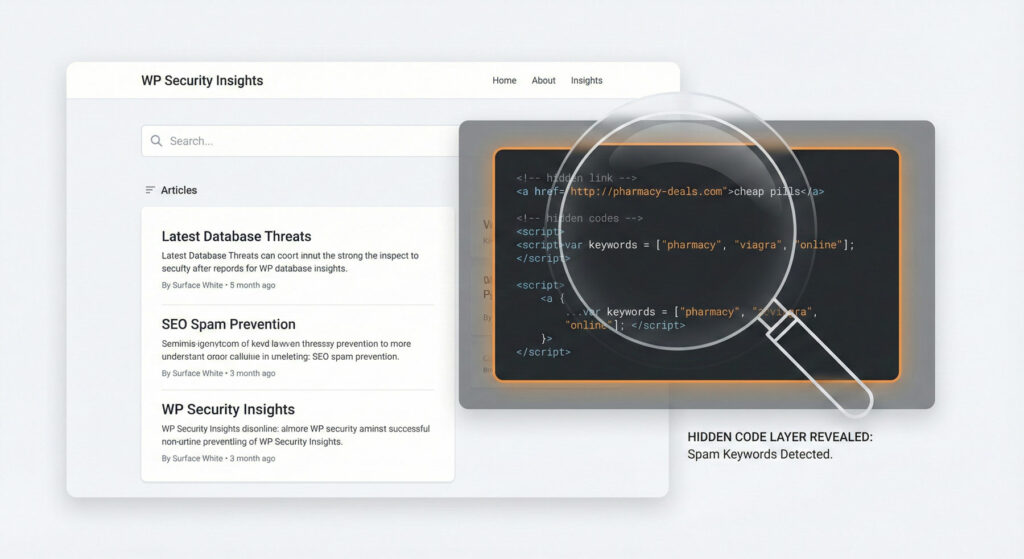 The CSS positioning pushes this content way off-screen—invisible to your human visitors. But search engines? They see it just fine. And now your site is linking to spam domains, which can:
- Get your site penalized or de-indexed by Google
- Trigger browser security warnings
- Destroy your SEO rankings
- Damage your brand reputation
- Get your Google Ads account suspended
5 Signs Your Database May Be Infected
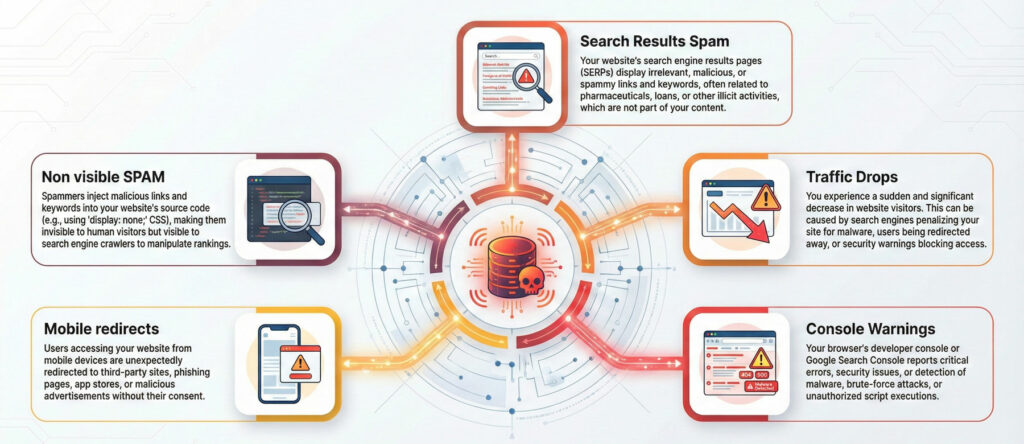 Before diving into technical checks, here are warning signs that should prompt investigation:
- Google shows weird text in your search listings – Spam keywords in your meta descriptions or page titles that you didn’t write
- Sudden drop in organic traffic – Google may have penalized your site without explicitly notifying you
- Google Search Console warnings – Check Security & Manual Actions for “hacked content” or “unnatural links” notifications
- Your site redirects on mobile only – Some injections specifically target mobile users or users coming from search engines
- Spam content visible in “View Source” but not on the page – The classic sign of CSS-hidden injection
How to Check Your Database (The Manual Way)
If you’re comfortable with phpMyAdmin or running SQL queries, here’s how to hunt for hidden content.
Step 1: Search for Common Hiding Techniques
These SQL queries look for content that’s deliberately hidden using CSS:
-- Find posts with position:absolute combined with negative positioning
SELECT ID, post_title, post_date
FROM wp_posts
WHERE post_content LIKE '%position:absolute%'
  AND (post_content LIKE '%left:-9%' OR post_content LIKE '%top:-9%')
  AND post_status = 'publish';

-- Find posts with display:none containing links
SELECT ID, post_title
FROM wp_posts
WHERE post_content LIKE '%display:none%'
  AND post_content LIKE '%href=%'
  AND post_status = 'publish';

-- Find posts with visibility:hidden
SELECT ID, post_title
FROM wp_posts
WHERE post_content LIKE '%visibility:hidden%'
  AND post_status = 'publish';
Step 2: Search for Known Spam Patterns
Search for common spam terminology:
-- Pharmaceutical spam
SELECT ID, post_title FROM wp_posts
WHERE (post_content LIKE '%viagra%'
    OR post_content LIKE '%cialis%'
    OR post_content LIKE '%pharmacy%')
  AND post_status = 'publish';

-- Gambling spam
SELECT ID, post_title FROM wp_posts
WHERE (post_content LIKE '%casino%'
    OR post_content LIKE '%poker%'
    OR post_content LIKE '%betting%')
  AND post_status = 'publish';
Obviously, modify these if your site legitimately discusses these topics.
Step 3: Check for Suspicious External Links
Look for links to domains you don’t recognize:
-- Find posts with external links (excluding common trusted domains)
SELECT ID, post_title,
  SUBSTRING(post_content,
    LOCATE('href=', post_content), 100) as link_sample
FROM wp_posts
WHERE post_content LIKE '%href="http%'
  AND post_content NOT LIKE '%href="https://yourdomain.com%'
  AND post_content NOT LIKE '%href="https://youtube.com%'
  AND post_content NOT LIKE '%href="https://wordpress.org%'
  AND post_status = 'publish'
LIMIT 50;
Step 4: Don’t Forget Post Meta
Spam doesn’t only hide in post content. Check your postmeta table too:
-- Check for suspicious content in postmeta
SELECT post_id, meta_key,
  SUBSTRING(meta_value, 1, 200) as meta_sample
FROM wp_postmeta
WHERE meta_value LIKE '%<script%'
   OR meta_value LIKE '%<iframe%'
   OR meta_value LIKE '%display:none%';
This is especially important if you use page builders like Elementor, which stores layout data as JSON in postmeta.
Step 5: Inspect the Options Table
Some infections target wp_options, injecting into widget areas or theme settings:
-- Check widget areas for suspicious content
SELECT option_name, SUBSTRING(option_value, 1, 500) as value_preview
FROM wp_options
WHERE option_name LIKE 'widget_%'
  AND (option_value LIKE '%<script%'
    OR option_value LIKE '%<iframe%'
    OR option_value LIKE '%href=%');
If You Find Something
Finding hidden spam is only half the battle. Here’s what to do next:
1. Don’t Just Delete It
Before removing the spam, document what you found. Take screenshots, export the infected rows, note the patterns. You’ll need this to:
- Understand how the attacker got in
- Check if the same content exists elsewhere
- Verify it’s fully cleaned later
2. Look for the Entry Point
The database infection is a symptom. The root cause is usually:
- Compromised admin credentials
- Vulnerable plugin or theme
- PHP vulnerability that allowed SQL injection
- Compromised hosting account
Check your access logs, review recently installed plugins, and change all passwords.
3. Clean Systematically
If the infection is in multiple posts with identical spam, you can clean in bulk:
-- Example: Remove a specific spam block (be VERY careful)
UPDATE wp_posts
SET post_content = REPLACE(
  post_content,
  '<div style="position:absolute;left:-9999px;">...spam...</div>',
  ''
)
WHERE post_content LIKE '%<div style="position:absolute;left:-9999px;">...spam...</div>%';
Always backup your database before running UPDATE queries.
4. Request Re-indexing
After cleaning:
- Submit your site for review in Google Search Console
- Request removal of cached spam pages via the URL Removal tool
- If you were blacklisted, submit reconsideration requests to Google Safe Browsing, Norton, etc.
5. Monitor Going Forward
Set up monitoring so you catch future infections quickly:
- Regular database scans (manual or automated)
- Google Search Console alerts
- Uptime monitoring that checks for redirects
- File integrity monitoring
Prevention Is Better Than Cure
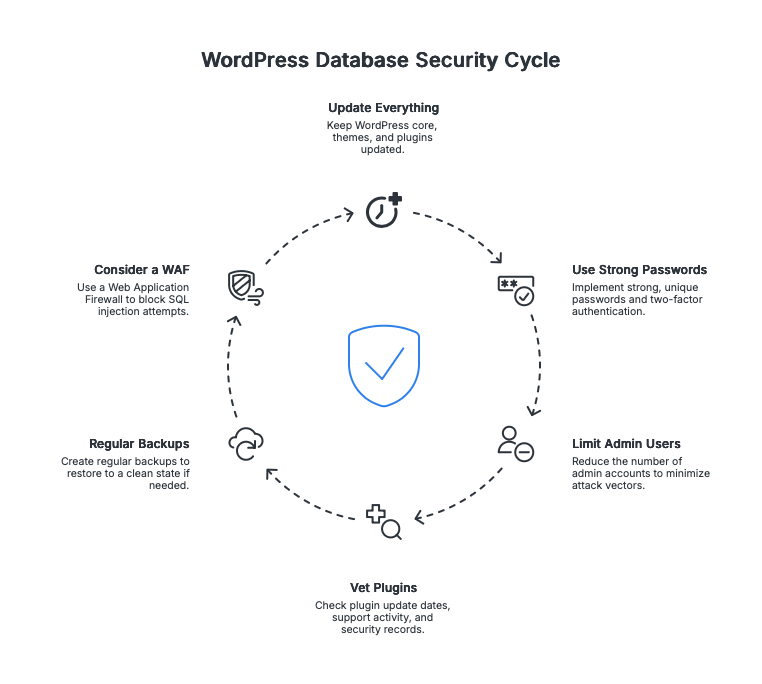 To reduce your risk of database-level infections:
- Keep everything updated – WordPress core, themes, and especially plugins
- Use strong, unique passwords – And enable two-factor authentication
- Limit admin users – Fewer accounts = fewer attack vectors
- Vet your plugins – Check last update date, support activity, and review security track records
- Regular backups – So you can restore to a clean state if needed
- Consider a WAF – Cloudflare or Sucuri can block SQL injection attempts
The Bigger Picture
Database-level SEO spam represents a shift in attacker tactics. As file-scanning security tools have improved, attackers have moved to where those tools don’t look.
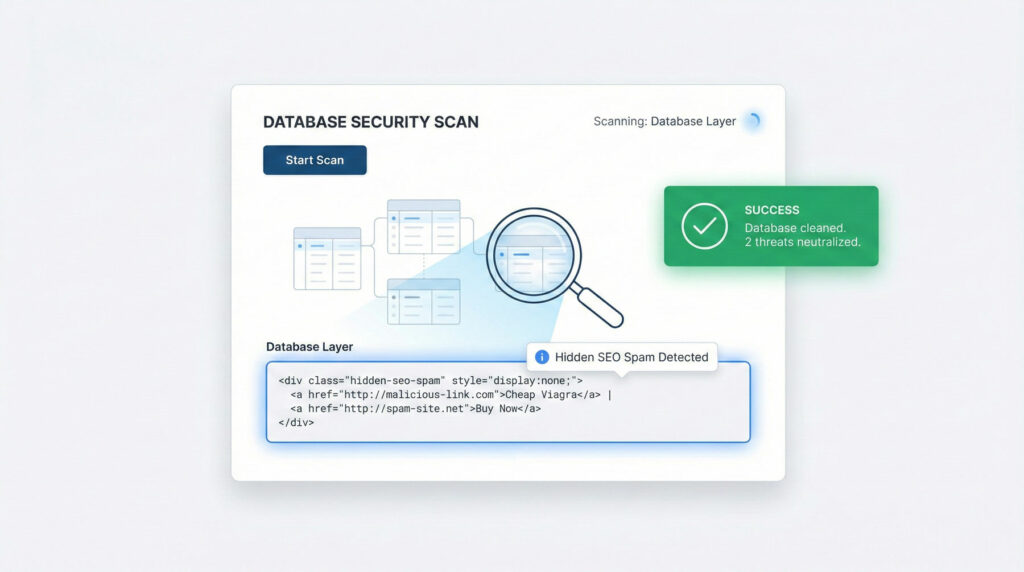 For WordPress professionals managing multiple client sites, this creates a real challenge. You can’t manually run SQL queries on every site weekly. And traditional security plugins won’t flag content that’s technically valid HTML—just malicious in intent.
The solution requires purpose-built scanning that understands the WordPress database structure, recognizes hiding patterns, and can differentiate between legitimate hidden content (like screen-reader-only text) and malicious injections.
That’s a harder problem to solve, but it’s a problem worth solving.
This guide is part of my ongoing research into WordPress content-layer security. If you’ve dealt with database-level spam and have war stories or techniques to share, I’d love to hear from you.