The security gap most WordPress sites ignore.

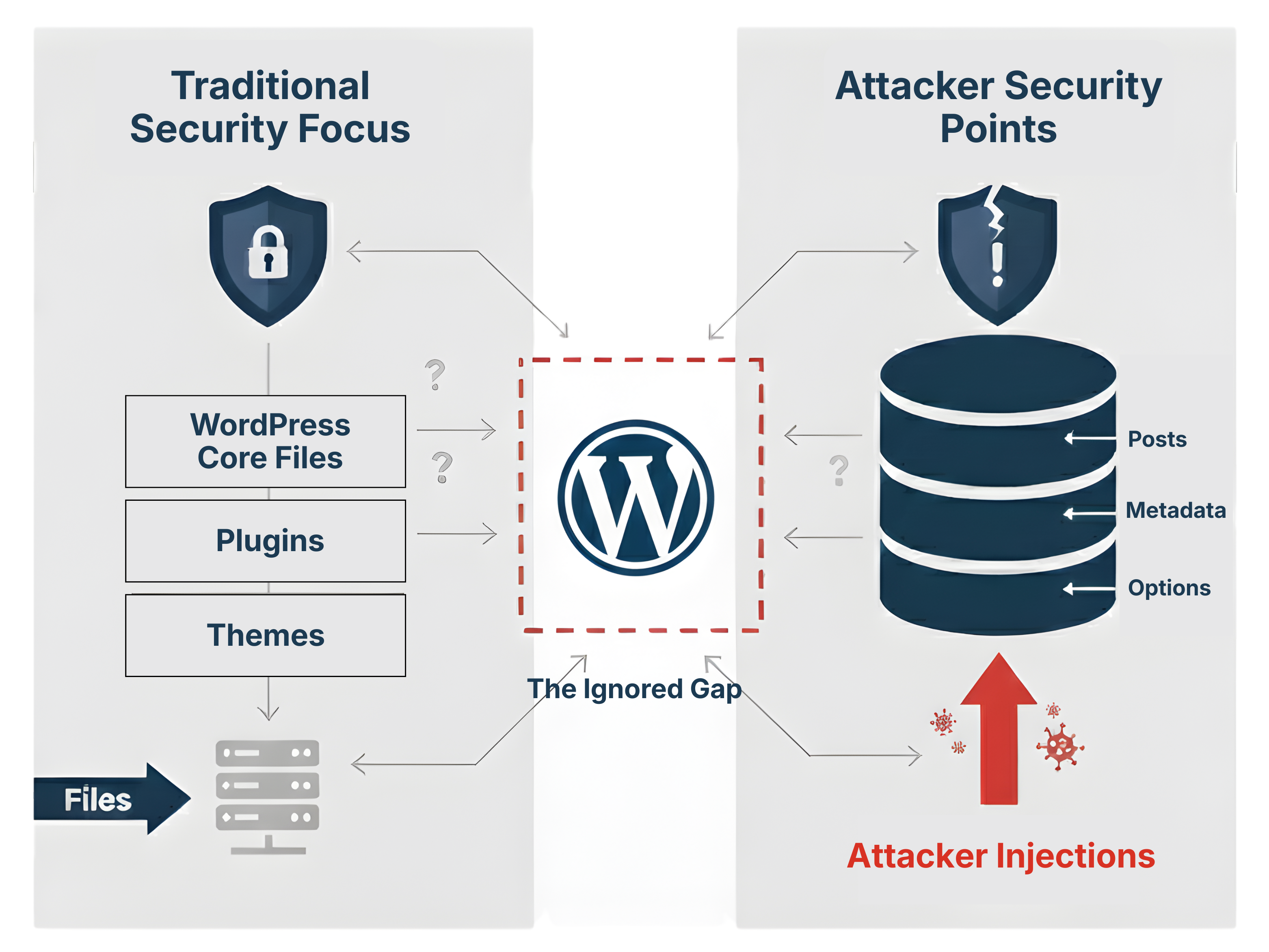
File scanners protect your code. But who protects your content?

The WordPress Security Gap:
Why Traditional Scanners Miss Database Threats?

Where Attackers Hide (The Attack Surface)

Gutenberg Block Attributes (JSON Data within HTML Comments)
When you use the Gutenberg editor, your content isn’t just plain text anymore—it’s structured data. And where there is content, there is potential for hidden trouble.

A common security blind spot is the Gutenberg block attributes. This is the important setup data (JSON) that WordPress tucks away inside HTML comments within your posts, like this: “.

Why does this matter? Because a smart hacker knows that most security tools only look at PHP files. They won’t bother. Instead, they’ll hide subtle scripts, redirects, or pharma links right inside these block attributes, injecting them directly into your database.

File scanners are not enough. The malicious content is sitting in your post_content database field, not a file. If you need to protect your content, your clients, and your SEO, you need to scan where WordPress actually stores it.

Content Guard Pro treats that hidden JSON content as a threat vector, just as it should be. We dive into the database and investigate those attributes, quietly fixing the mess that other scanners miss.

If you’ve been working with WordPress for any length of time, you’re using Postmeta fields. These are the custom fields—the unsung heroes—that store all the extra data for your posts and pages, the stuff that doesn’t fit in the main content area.

This is where your SEO plugin data lives, where your page builders store their complex layouts, and where basic custom fields keep track of product details or special settings. It’s an enormous, rich chunk of your database.

Here’s the straight truth: If it lives in the database, you need to scan the database.

Traditional security focuses heavily on the main content and files, but hackers are pragmatic. They know the postmeta table is a huge, often-ignored expanse. They’ll drop hidden pharma links, malicious tracking code, or site-wide redirects directly into an unsuspecting custom field.

Because this content isn’t visible on the front end of your site (it’s often just code or configuration), you won’t see it until Google slaps you with a penalty or a visitor gets redirected to a shady site.

Content Guard Pro understands that security isn’t just about the files. We are curious and investigative, which is why we dig deep into your Postmeta fields. We neutralize threats found in your SEO data, your custom fields, and your page builder settings, ensuring your reputation and your rankings are protected.

Your widgets—the bits in your footer and sidebar—are pure content, and they are stored in your database, not your files.

This is a problem because hackers know most security plugins focus only on files. It’s pragmatic for them to sneak malicious code or hidden spam links into a simple custom HTML or text widget.

When they do this, the attack isn’t just on one page; it’s on every single page that displays that widget. This is a quiet, powerful way to compromise your whole site without triggering standard file scanners.

We’re the colleague who points out the problem you didn’t know you had. Content Guard Pro is curious and investigative, so we specifically scan that database content where your widgets live. We find and neutralize the malice hiding in the margins, ensuring your structural content is protected.

The heart of your WordPress site’s configuration is the wp_options table. This isn’t just for small stuff; it’s where your Theme Settings and almost all Plugin Configurations are stored.

This table is a goldmine for hackers. Why? Because injecting malicious code here guarantees two things:

  1. It affects the entire site (e.g., a site-wide redirect).

  2. It’s highly persistent—it loads every time your site loads.

Hackers know that traditional file scanners ignore this database area. They exploit this by hiding code in a setting that looks harmless. The threat isn’t a simple spam link; it’s a site-breaking compromise hidden deep within your configuration data.

We’re protective of your site’s foundation. Content Guard Pro scans deep into these core Option Values. We identify and neutralize these quiet configuration threats, giving you the straight truth and fixing the problem before it turns into a panic.

Why Traditional Scanners Miss This

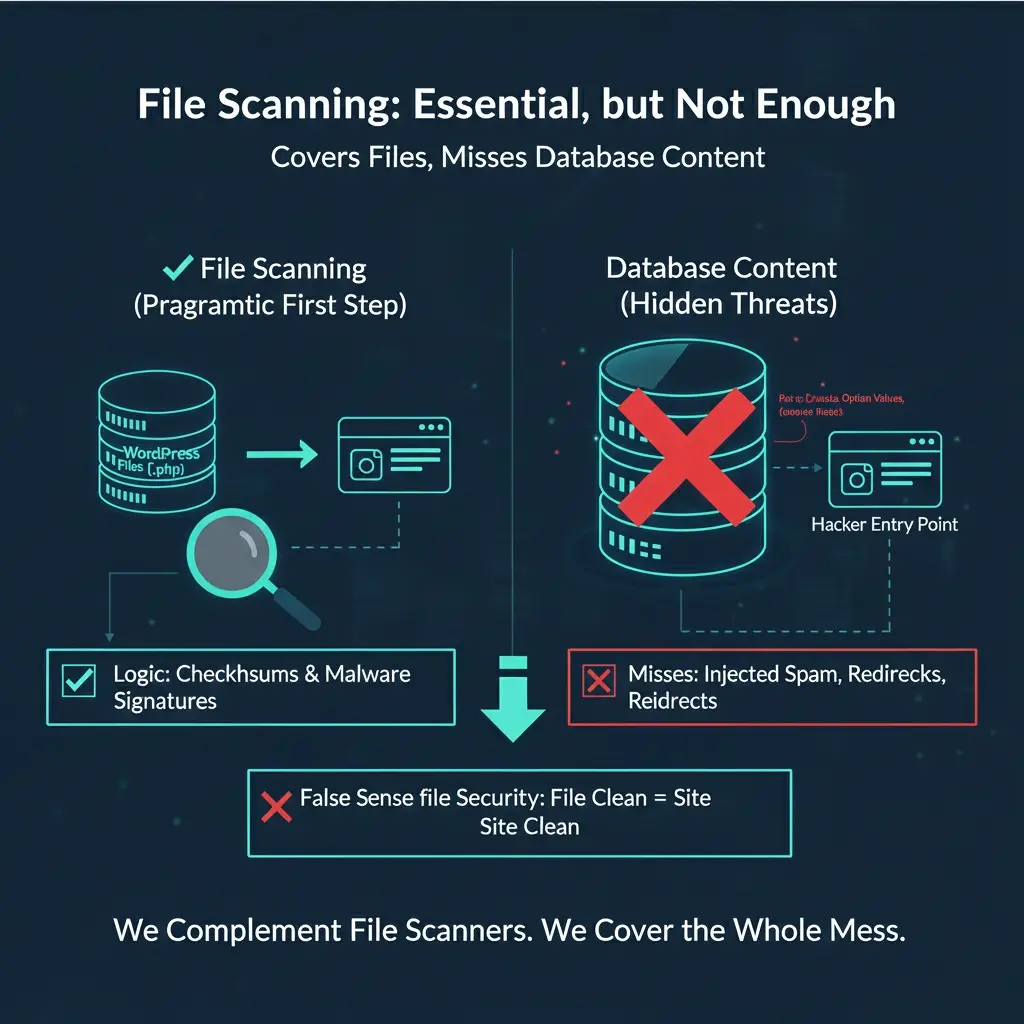
File-Based Scanning Logic

We are pragmatic about security: you must check your files.

File scanning looks at the structure of your site—the core code, themes, and plugins—to catch the classic forms of compromise. The logic is simple: it checks your files against clean versions and looks for known malware code patterns.

It’s essential for catching major hacks and backdoors (malicious code that gives a hacker easy re-entry).

However, we need to give you the straight truth: File scanners are not enough.

Why? Because the attack often moves after the initial break-in. The hacker uses the file to get access, then dumps spam and malicious content directly into your database (your Postmeta, Option Values, etc.).

When the file scanner cleans up the compromised file, it thinks the threat is gone. But the damaging content is still hiding in your database. We complement file scanners by covering the database, ensuring the whole mess is fixed without drama.

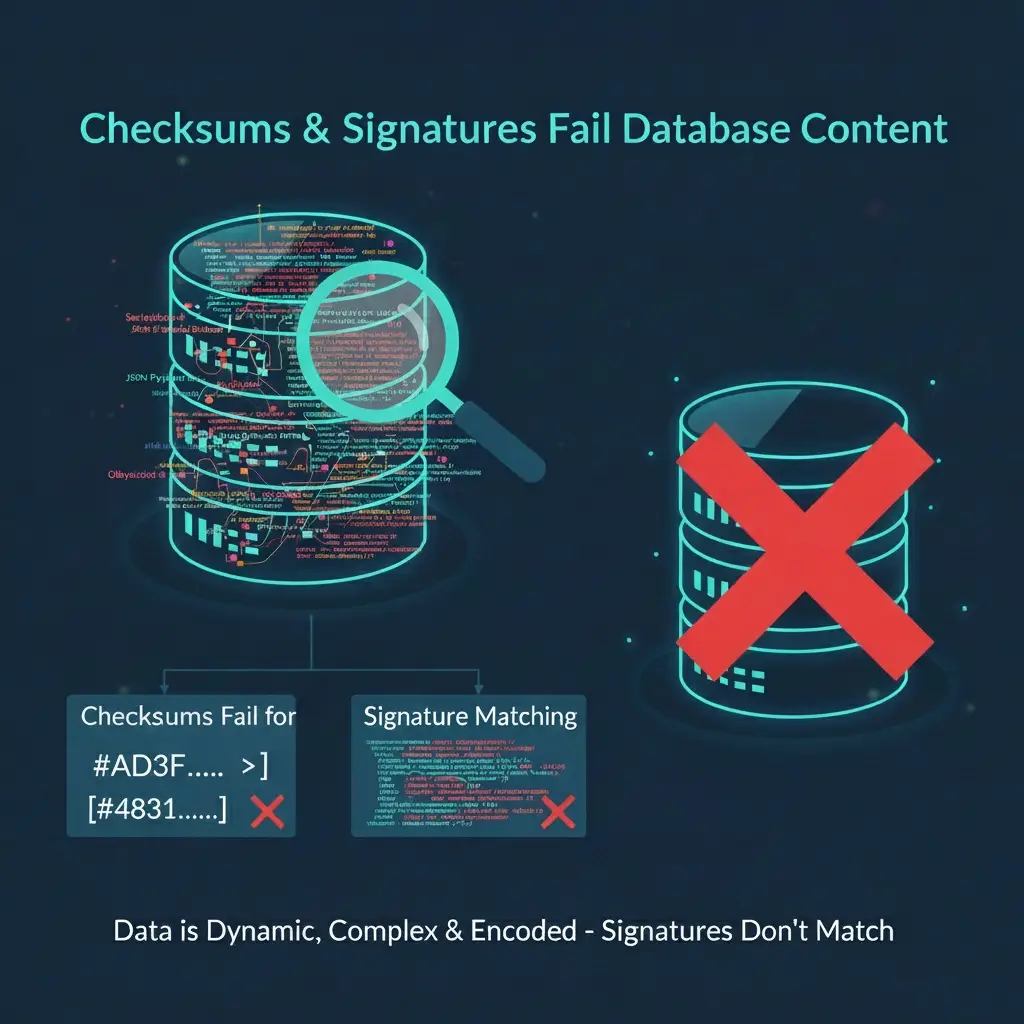
Why checksums and signature matching don't work for database content

We need to be direct: The methods used to secure your files—checksums and signature matching—don’t work for database content.

Checksums Fail for Content

Checksums are for static files. Your database content (posts, settings, etc.) is constantly changing by design. If we ran a checksum on your content, it would always flag it as “tampered.” It’s not a tool for active data.

Signatures Fail for Hidden Code

Signatures look for long, known patterns of malware code. When a hacker drops spam into your Postmeta or Gutenberg blocks, it’s not a full malware file. It’s a few lines of disguised HTML. There is no signature to match.

To be truly protective, you need a pragmatic scanning engine that goes beyond static signatures and understands the intent and structure of the content hiding in your database.

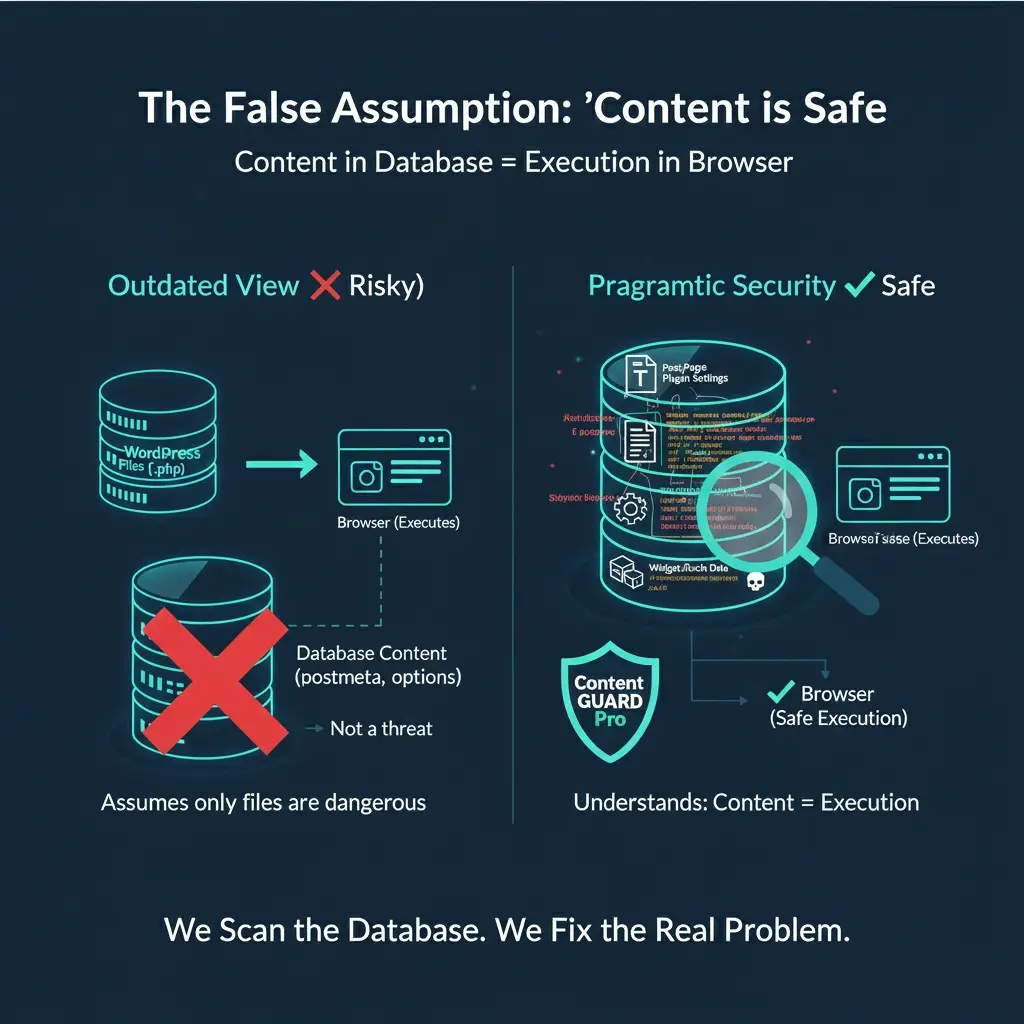
The false assumption that "content = safe."

There’s a dangerous belief that if a threat is in your database (as a post, widget, or setting), it must be safe. This comes from the outdated idea that only executable files (.php) are dangerous.

We need to be direct: this is wrong.

A hacker doesn’t need to edit a core file to harm you. They just need WordPress to store their malicious code (a script or redirect) as “content” in the database.

When a user views your site, their browser executes that code without question. The browser doesn’t care if the script came from a compromised file or a benign Postmeta field.

We are pragmatic about security. We recognize that in modern WordPress, content equals execution. We fix this by scanning the database, addressing the problem that others mistakenly assume doesn’t exist.

This is why Content Guard Pro exists.

Gutenberg-Aware Detection

We parse modern WordPress content structure (blocks, postmeta, widgets) to detect threats exactly where attackers hide them.

Database-First Precision

Find the hidden spam and malicious injections living in your database, where file scanners don’t even look.

Non-Destructive Quarantine

Neutralize bad content on render without deleting it, ensuring you stay in control and avoid breaking live pages.

Ready to see what your file scanner is missing?

Scroll to Top